[3주차] YOCTO core-image-weston 빌드
https://byeolhabae.tistory.com/35
[3주차] 임베디드 OS, Yocto Project 구성 및 컨셉
먼저 이번 오픈소스 컨트리뷰션의 주제인 Yocto에 대해 간략히 말하자면 임베디드 리눅스를 만들때 사용하는 빌드 프레임워크이다. 그렇다면 임베디드 리눅스가 무엇인지, 어디에 사용되는지,
byeolhabae.tistory.com
이전 시간에 YOCTO project가 어떤 것인지에 대해 알아보았다. 이번 포스팅에서는 YOCTO project를 빌드하는 방식에 대해 적어보고자 한다. 간략하게 단계를 설명하자면 다음과 같다.
1. UTM 사용해서 Linux 환경 설정
2. 필수 패키지 설치 및 poky clone
3. 빌드 후 qemu 실행
1. UTM 사용해서 Linux 환경 설정
https://wildeveloperetrain.tistory.com/375
맥북 가상머신 환경(UTM)에 Linux 설치하기
맥북 가상머신 환경(UTM)에 Linux 설치하기해당 포스팅은 '맥북(macOS)에서 UTM을 통한 가상머신 환경 위에 Linux(Ubuntu)를 설치하는 과정'을 정리한 내용입니다. UTM 외에도 VirtualBox, VMWare, Parallels 등 맥
wildeveloperetrain.tistory.com
위 블로그를 참고하여 리눅스를 설치하였다. 나는 arm용 우분투 서버를 설치해서 사용했다!
core-image-weston은 엄청난 용량을 필요로하기 때문에 용량을 100GB로 설정해주었다
https://ubuntu.com/download/server/arm
Ubuntu for ARM | Download | Ubuntu
Download Ubuntu Server for ARM with support for the very latest ARM-based server systems powered by certified 64-bit processors.
ubuntu.com
2. 필수 패키지 설치 및 poky clone
$ sudo apt update

$ sudo apt install build-essential chrpath cpio debianutils diffstat file gawk gcc git iputils-ping libacl1 liblz4-tool locales python3 python3-git python3-jinja2 python3-pexpect python3-pip python3-subunit socat texinfo unzip wget xz-utils zstd
아까 설정해둔 용량을 다 쓰기 위해서는 미리 디스크 크기를 늘려주는게 좋다... 두시간 걸려서 빌드 실패하고 싶지 않다면 ㅠㅠ
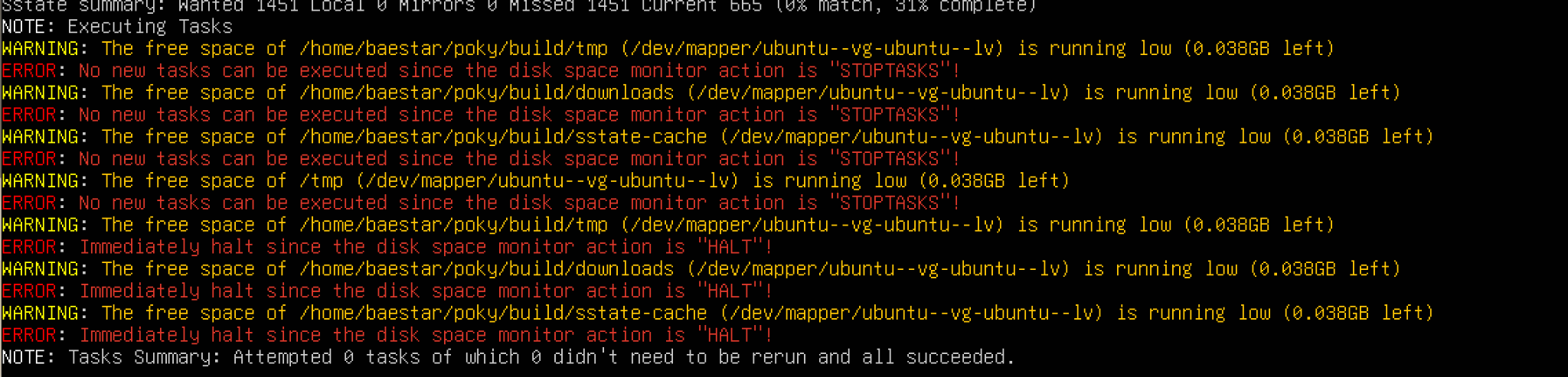
$ df-h
디스크 용량을 확인해주고
$ sudo lvextend -L+50GB /dev/mapper/ubuntu--vg-ubuntu--lv
$ sudo resize2fs /dev/mapper/ubuntu--vg-ubuntu--lv
위 명령어를 사용하면 50GB 늘려주면 된다!!
$ git clone git://git.yoctoproject.org/poky
$ cd poky
$ git checkout kirkstone
이렇게 poky clone 해주고 브랜치 변경도 해줘야한다.
3. 프로젝트 빌드
⭐⭐⭐⭐⭐⭐
빌드 전 확인해야할 것
1. 아키텍처가 arm64인가
2. 우분투 버전이 24 이상인가
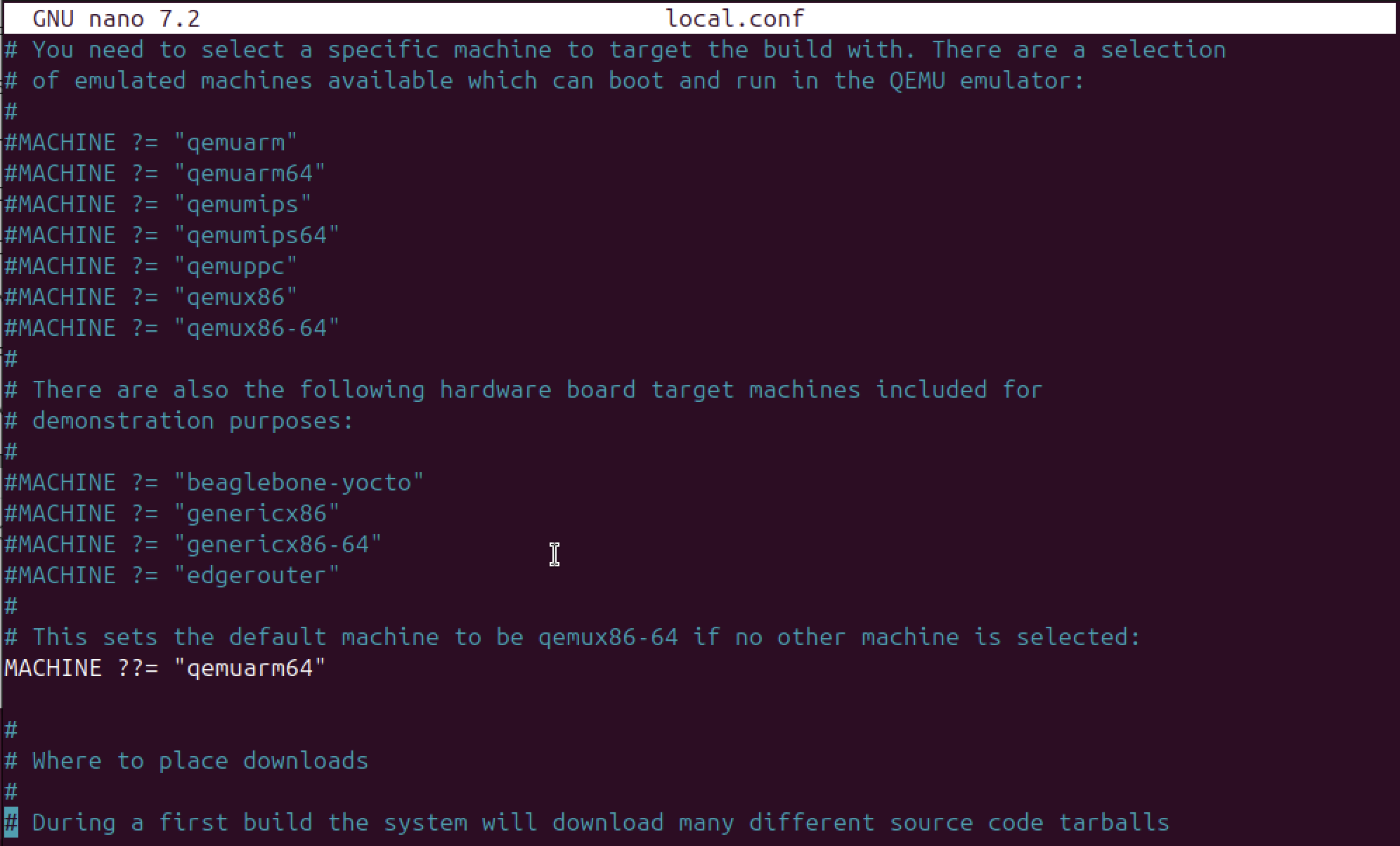
아키텍처가 arm64라면 ~/ossca/poky/build/conf/local.conf 의 MACHINE 정의부를 아래와 같이 수정해줘야한다
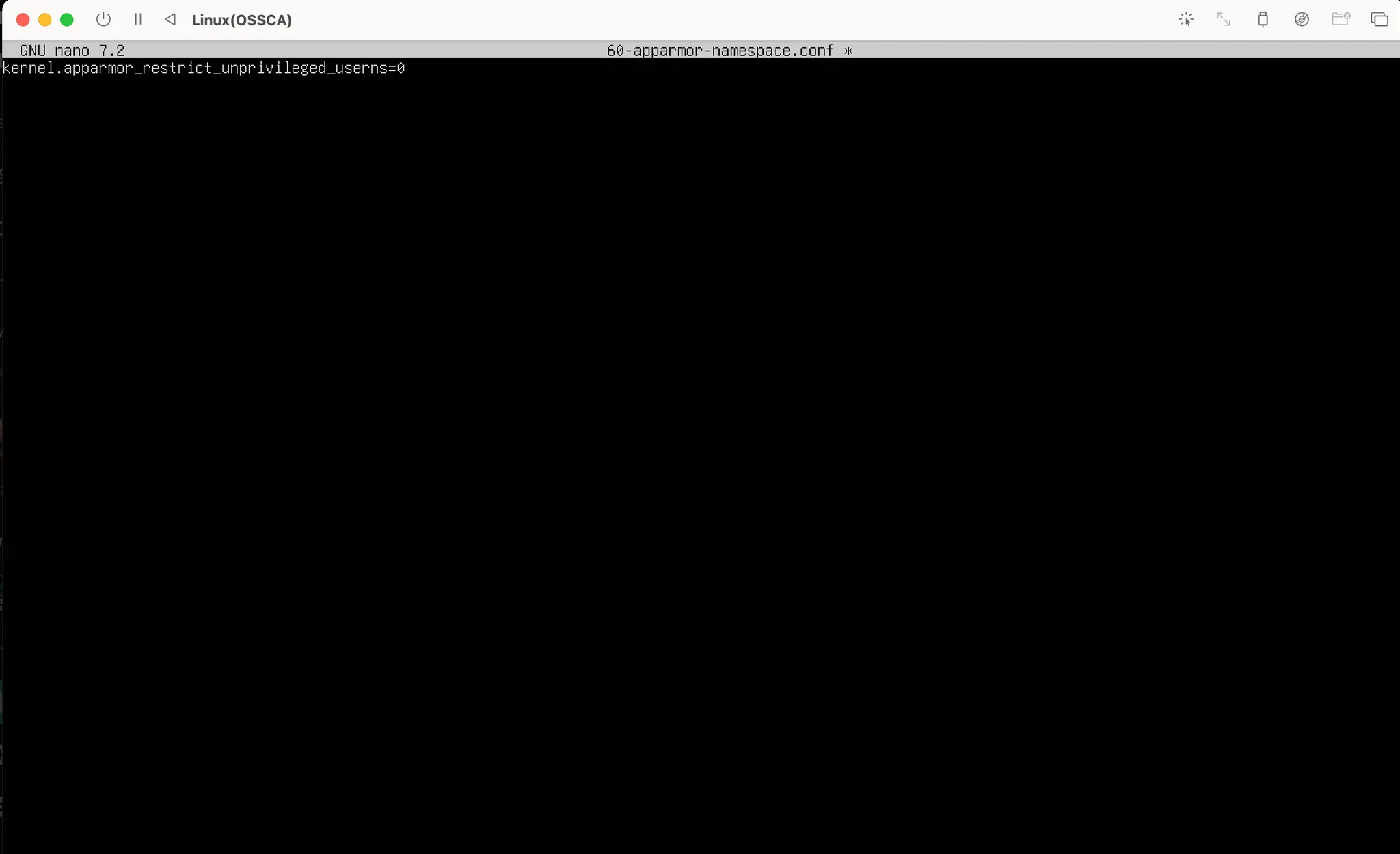
그리고 우분투 버전이 24 이상이라면 보안정책때문에 권한이 없는 네임스페이스는 제한된다. 그래서
/etc/sysctl.d/60-apparmor-namespace.conf 파일을 만들어서
kernel.apparmor_restrict_unprivileged_userns=0이 내용을 추가해줘야한다.

이는 공식 문서에 아주 친절하게 설명이 되어있다.
https://discourse.ubuntu.com/t/ubuntu-24-04-lts-noble-numbat-release-notes/39890
Ubuntu 24.04 LTS (Noble Numbat) Release Notes
Noble Numbat Release Notes Table of Contents Introduction New features in 24.04 LTS Known Issues Official flavours More information Introduction These release notes for Ubuntu 24.04 LTS (Noble Numbat) provide an overview of the release and document the kno
discourse.ubuntu.com
$ source oe-init-build-env
$ bitbake core-image-weston
위 명령어를 실행하여 빌드 환겨을 정의하고 타겟을 설정하여 빌드한다. 시간이 매우매우매우 오래 걸린다 ^^ ㅜㅜ 그래서 나는 빌드하는 동안 환승연애를 봤다. ^^~ 놀랍게도 환승연애를 보고 빨래 돌려도 빌드가 끝나지 않았다 ,,,^^ 다들 빌드 실행시켜놓고 모.멍하는 것보다는 맘편하게 한 4시간정도 다른 거 하다가 확인하는거 추천해요~
4. qume 실행
runqemu qemuarm64qume를 실행하려면 gui환경이 필요하다. 아마 cli로 실행하고 있다면 아래와 같이 Failed to run qemu: Could not initalize SDL(x11 not available) -exiting 오류가 뜬다.
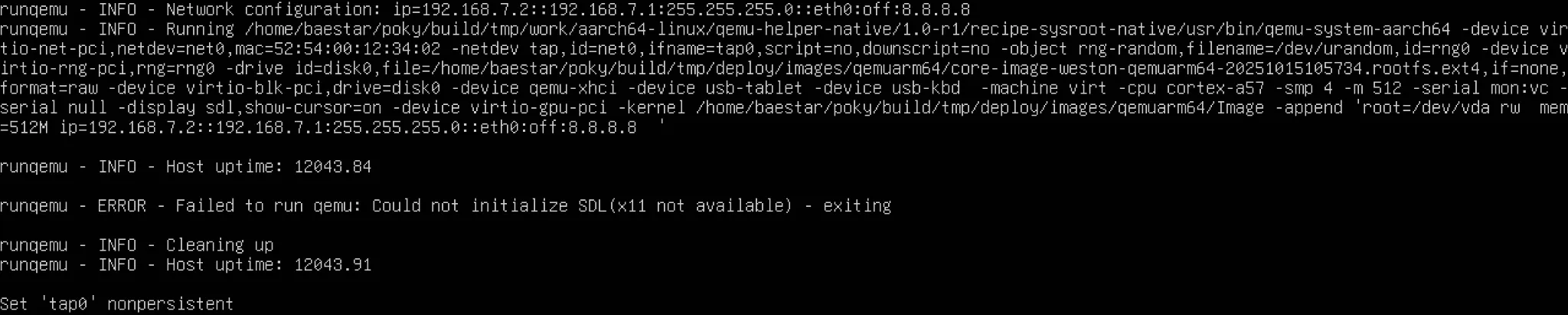
sudo apt update
sudo apt install ubuntu-desktop -y
sudo reboot
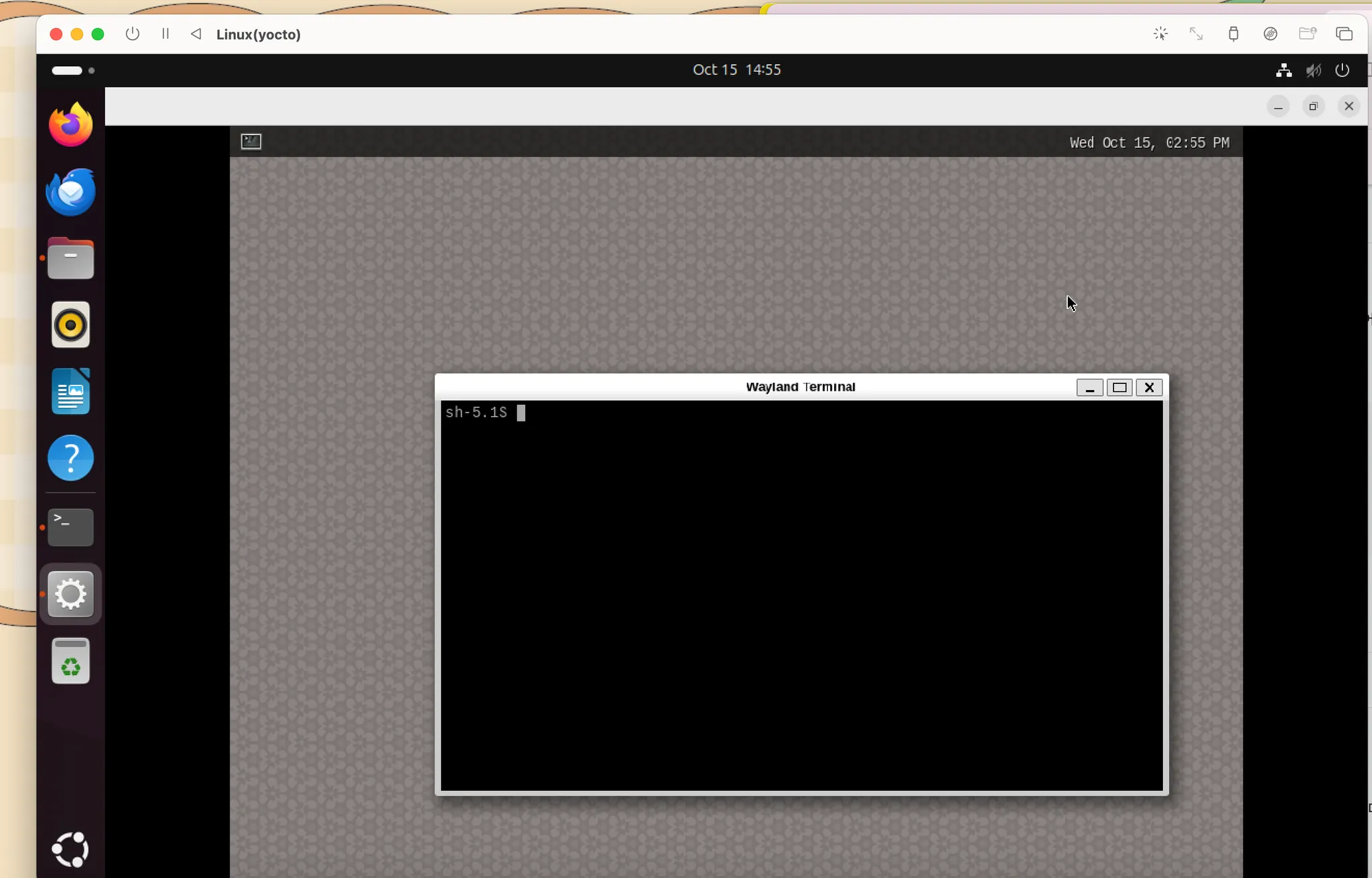
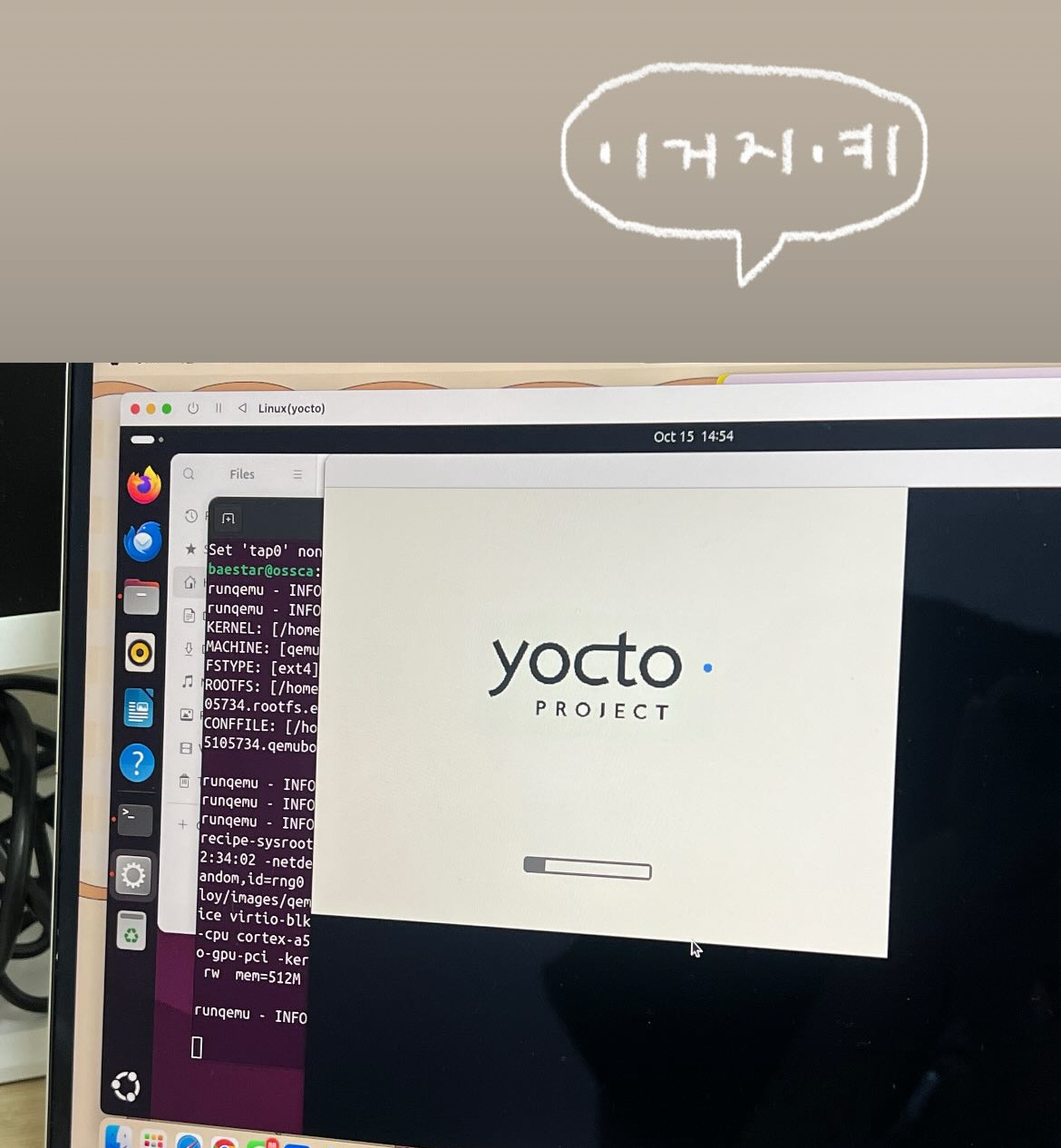
위 명령어를 사용하여 gui 환경까지 설정해주면 아래와 같이 제대로 실행되는 걸 볼 수 있다~^^ 얏호!!
참고자료
https://docs.yoctoproject.org/dev-manual/building.html
12 Building — The Yocto Project ® 5.2.999 documentation
Use Tools to Debug Issues: Sometimes you can run into situations where software is being rebuilt when you think it should not be. For example, the OpenEmbedded build system might not be using shared state between machines when you think it should be. These
docs.yoctoproject.org